
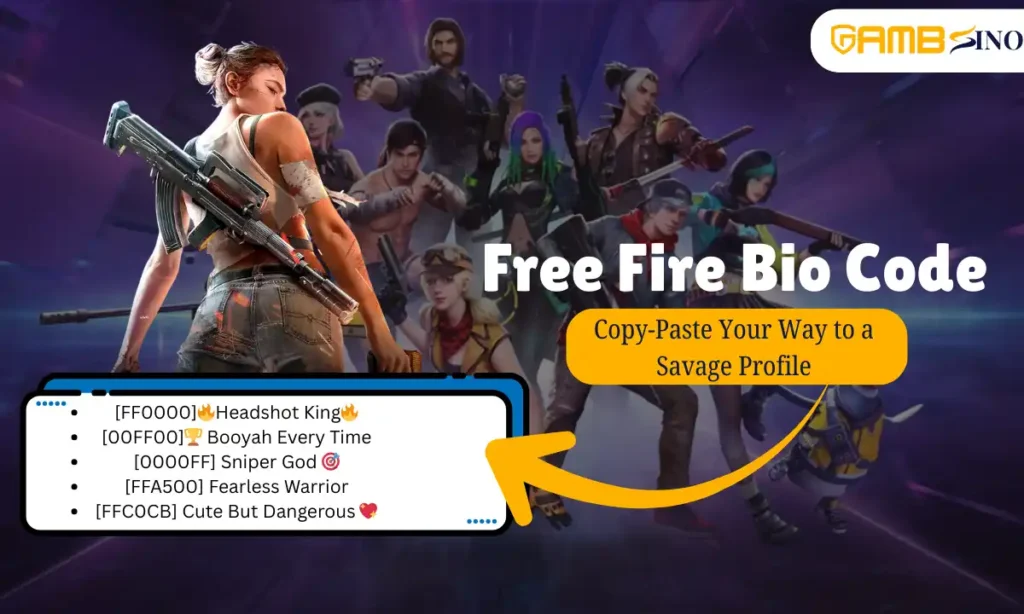
Free Fire bio codes are the special color codes, you can change the look of your bio text and make it more attractive. Many pro players and content creators use these codes to make there profile unique, Here is complete guide regarding Free Fire bio codes, how to use them, different color options, and tips to create the best profile and many more.
What is Free Fire Bio Code?
A Free Fire bio code is a special hexadecimal color code that will allow you to add color to your accounts profile bio. Normally, if you type something in your bio, it will either appear in plain white text if the theme is black or it will appear in plain black in the white theme. But with bio codes, you can add red, green, blue, pink, purple, and many other colors. Generally these codes are written in a six-digit format inside square brackets.
For example:
- [FF0000] : Red color
- [00FF00] : Green color
- [0000FF] : Blue color
When you put these codes before your text, the game shows your text in that color, for example [FF0000] Headshot King : it will ppears as “Headshot King” in red and if you type [00FF00] Survivor, it will appears as “Survivor” in the green colour.
What are the benefits of using Free Fire Bio Codes?
There are multiple benefits of using the Free Fire Bio Codes and some of them are mentioned below:
- Better appearance: Your profile becomes more eye-catching and leave great impact on the other players.
- Easy to apply: You just need to copy-paste the codes, and no third-party app is needed.
- Safe method: Unlike hacking and other cybercrimes, this is a proper legal feature of the game which can be accessed by any player.
- Professional impression: Many pro players use bio colors for better recignition.
- Boost confidence: A cool profile can add extra pride and confidence to you when you play with other gamers.
also read about: How to Check Free Fire UID? Easy Step by Step Guide
How to Use Free Fire Bio Codes?
Follow these steps to add a color code to your free fire profile:
- Update your Free Fire game to the latest version.
- Then, open the game and go to your original registered profile section.
- Click on the bio/signature edit option at your account.
- Type the color code which is already suggested in this blog, and use that in inside square brackets [ ] and if you dont use the brackets then it will not work.
- After the code, type your text which you want to change in your favorite choices.
- Save changes once you are done with colours.
- So now, when others visit your profile, you will see your bio in stylish colors and others can see too.
List of famous Free Fire Bio Codes (Hex Codes)
| Color | Code | Example in Bio |
|---|---|---|
| Red | [FF0000] | [FF0000] Pro Player |
| Green | [00FF00] | [00FF00] Headshot Master |
| Blue | [0000FF] | [0000FF] Sniper King |
| Yellow | [FFFF00] | [FFFF00] Booyah Always |
| Orange | [FFA500] | [FFA500] Fire Squad |
| Purple | [800080] | [800080] Legend |
| Pink | [FFC0CB] | [FFC0CB] Cute But Deadly |
| White | [FFFFFF] | [FFFFFF] Survivor |
| Black | [000000] | [000000] Shadow |
| Cyan | [00FFFF] | [00FFFF] Frozen Sniper |
Tips to make a stylish Free Fire Bio:
Here are some of the tips,which you can follow to make your profile stylish and unique:
- Keep the bio short and clear: The bio has a limit of about 50–60 characters (including code) so make it short and crisp.
- Use emojis with colors: for example type, [FF0000] 🔥Headshot King🔥
- Highlight: You can highlight your clan or guild name for example – [00FF00] GLM Clan
- Add motivational quotes: Fir example you can motivational and classic quotes like, [FFFF00] Born to Win.
- Match your bio with nickname style: If your nickname is in bold or has a fancy font, then use the matching colors in bio.
What mistakes you need to avoid while using Free Fire Bio Code?
Here are some common mistakes, you can avoid while changing colour in bio:
- Wrong format: Always use brackets [ ], before the code and it will be a 6-digit code. Example – [FF0000], not {FF0000}.
- Too much text: Long bios with multiple codes may look messy, so better keep it crisp and short.
- Unsupported codes: Some codes may not work, so stick with standard hex colors.
- Expecting it in nickname: Bio codes only work in the bio section, not in chat box or nickname.
Some creative example of Free Fire Bio Code
- [FF0000]🔥Headshot King🔥
- [00FF00]🏆 Booyah Every Time
- [0000FF] Sniper God 🎯
- [FFA500] Fearless Warrior
- [FFC0CB] Cute But Dangerous 💖
Conclusion
Free Fire bio codes are one of the most simplest ways to make your gaming profile look more attractive and unique. With the help of just few characters, you can add stylish colors to your bio which makes you different from others. You can add red text to show power or can also go with cute pink text to match your personality or girly trait, these codes have multiple options based on your interest. So, try out the codes which is suggested in this blog to make your profile colourful, bold and unique.
FAQs
What is the Free Fire bio code?
It is a special 6-digit color code for your bio.
Can I use Free Fire bio codes in my nickname?
No, bio codes not work in nicknames.
Will using Free Fire bio codes ban my account?
No, it is a safe feature.
Why do I still see the code in my profile?
That is normal. You will see the code, but other players will see the text in color instead.
How many characters can I use in Free Fire my bio?
50–60 characters, including the Free Fire bio code.
Do all color codes work?
Most standard hex codes work, but a few may not show properly
Can I mix two or more colors in the same bio?
Yes, you can use multiple codes, but keep it short and crisp.
also read about: What is Free Fire? and How Free Fire Works

Как выбрать студию для создание сайтов — на что смотреть в первую очередь?